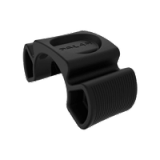
Selected Product
RCX5 Tour de France
(change)

FAQs

Troubleshooting RCX5 synchronization

To sync your training data from RCX5 to polarpersonaltrainer.com web service you'll need

- RCX5
- an account at polarpersonaltrainer.com
- DataLink data transfer dongle
- latest version of WebSync software

If synchronizing to polarpersonaltrainer.com fails

1. Check that DataLink is properly attached to the USB port, and that your computer recognizes it.
If the computer doesn't recognize DataLink:
- Try another USB port.
- Restart the computer while having DataLink plugged. Synchronize directly after restart.

2. Check that you have the most recent version of WebSync software installed.

3. If you've been using autosync, try turning it off Go to RCX5 Menu ⇒ Connect ⇒ AutoSync ⇒ Set AutoSync ⇒ Off and syncing manually.

4. Check that you've followed the synchronization instructions.


If troubleshooting doesn't help, please contact your local Polar customer care. Include WebSync log file in your message.

Was this helpful? Yes No