How to perform Polar Fitness Test
You can take the test anywhere. Make sure that your surroundings are peaceful. It is important to always perform the test in similar conditions and at the same time of day.
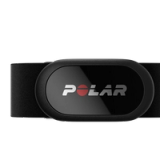
1. Wear the transmitter.
2. Lie down and relax for 1 - 3 minutes.
3. Start test.
- In FT80/FT60, go to Menu → Applications → Fitness test → Start test.
- In FT40, go to Menu → Fitness test → Start test.
4. Press OK. Searching heart rate is displayed.
The fitness test begins as soon as your training computer has located your heart rate.
Lie relaxed, avoid body movements during the test (do not raise your arms or legs). Keep your arms on either side of your body. Avoid talking.
5. Approximately 5 minutes later the training computer beeps and you will see you test result: the OwnIndex value and fitness level class.
5. Press OK. Update VO2max? is displayed. Select
- Yes to save the OwnIndex value in user information.
- No if you don't want to update user information.
In either case, the OwnIndex value is saved in the OwnIndex results of FT60 and FT80.
If the fitness test fails, your previous OwnIndex value will not be replaced.
The OwnIndex value affects the accuracy of the Polar STAR Training Program (in FT60 and FT80) and calorie calculation during training.
Polar Fitness Test and OwnIndex
What does the OwnIndex tell you?
How fit am I compared to the population
How reliable is the Polar Fitness Test
How to avoid wrong result in Polar Fitness Test
What if the Polar Fitness Test does not work out?
How soon can the improvement in fitness be seen
How to follow Polar Fitness Test results