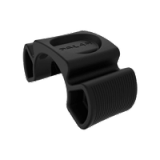
FlowLink Connection Indicators
To connect, position your Polar product on the FlowLink.
The Align indicator lights up.

FlowLink light indicators:

If the DATA light does not lit, see troubleshooting instructions here: Troubleshooting FlowLink
If the ALIGN light does not lit:
- make sure the training computer is correctly positioned on FlowLink. Move the training computer on FlowLink little bit.
- check that training computer is activated and not in a sleep mode
- make sure FlowLink is in a flat hard surface but not in a metallic base
- check that there is no plastic protection shield on FlowLink
Related documents:
Polar WebSync Software
FlowLink Compatibility
How do I sync my training data to polarpersonaltrainer.com?
Polar WebSync Software
FlowLink Compatibility
How do I sync my training data to polarpersonaltrainer.com?