Selected Product
FT4
(change)

FAQs

Abnormal Heart Rate Readings During Exercise


There can be several reasons for abnormal or irregular readings during exercise. Due to the same reasons, heart rate may stay at the same value for a long time or the heart rate stays at zero (0).

1. Heart rate view during exercise (HR / HR%)
If your training computer constantly displays too low heart rate readings, check if you have set the device to display heart rate in percentages of your maximum heart rate (HR%) instead of beats per minute (HR). Most Polar training computers include this option. Instructions can be found in the user manuals.

2. Poor contact between the skin and the electrodes of the heart rate sensor
Polar heart rate sensor measures the ECG signal from the chest. This is where the signal is the strongest. The type of the ECG signal slightly varies from person to person. The ECG signal strength can depend on chest form, the anatomical location and position of the heart, position of the electrodes, and the amount of body fat. If the ECG signal is weak, the signal can get disturbed more easily. To ensure accurate detection (needed before measuring is possible) the contact between skin and electrodes needs to be constant. To ensure good contact:  

  • Moisten the electrode areas of the heart rate sensor. At the beginning of the exercise session your skin may be dry and the moisture will help ensure better contact. When you start to sweat the contact will improve because the salt in the sweat conducts the electrical signals very well. If your elastic strap has plastic electrodes, saliva is a good conductor as well. If the strap has textile electrodes, it is essential that you moisten them thoroughly under the tap water before exercise.

  • Tighten the elastic strap. If the strap is loose, the movement of the electrodes will disturb ECG signal detection. If the standard-size strap does not fit satisfactorily, larger and smaller straps are available as accessories.

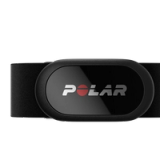
  • Try different sensor positions to find the best for you. If the signal is weak when the sensor is placed right under pectorals (recommended position), move the sensor left or right, lower or higher to find the best signal. There are known cases where heart rate is detected better when sensor it is turned Polar logo upside down and facing out, or even when attached on the back.

  • In demanding cases, if your strap has plastic electrodes, use conductive electrode lotion or gel to improve the contact. After using lotion or gel, it is very important to wash the heart rate sensor carefully. If your strap has textile electrodes, do not use conductive lotion or gel as it can block the electrode areas.

  • Try shaving a small area on your chest. Hairy chest may weaken contact. If you cannot find your heart rate signal by positioning sensor differently or with using conductive gel (only for plastic electrodes), shaving a small area for better conductivity may help.


3. Wear and tear of the heart rate sensor
To ensure good heart rate signal detection, keep the heart rate sensor clean. Proper care of the heart rate sensor after every use ensures longer sensor life.
Wash the heart rate sensor after every use and make sure you store it according to instructions. For detailed, product-specific instructions, see Maintenance of Heart Rate Sensor with Textile Strap or T31, T31C Transmitter Maintenance or the product user manuals.


4. Electromagnetic disturbance
To avoid erratic readings, move away from possible sources of disturbance. Sensor signal may be affected by electromagnetic disturbances caused by:


  • high-voltage power lines

  • overhead lines of electric railways

  • electric bus or tram lines, televisions

  • traffic lights

  • car motors

  • bike computers

  • cellular phones

  • mp3 players

  • electric security gates

  • microwave ovens (WearLink Hybrid, WearLink W.I.N.D. which use 2.4 GHz transmission frequency)

  • computers (WearLink Hybrid, WearLink W.I.N.D. which use 2.4 GHz transmission frequency)

  • WLAN base stations (WearLink Hybrid, WearLink W.I.N.D. which use 2.4 GHz transmission frequency)

  • exercise equipment with electronic components.


5. The distance between the 5 kHz heart rate sensor and the training computer is too long
The maximum transmission range between the heart rate sensor and the training computer is 1 meter/ 3 ft. Make sure you keep within this distance. If the distance gets longer, the training computer may not receive all the heart rate signals from the heart rate sensor and, as a result, show the same heart rate for a long time. Transmission errors are more likely to occur in sports where the distance between sensor and training computer exceeds the 1 meter/ 3 ft transmission range either permanently or frequently, such as rowing, biking.

6. Signals from more than one 5 kHz Polar heart rate sensor
H7, T31, T31C, WearLink, WearLink Hybrid and WearLink Nike+ heart rate sensors use 5 kHz transmission frequency. The T31 transmission is non-coded, the rest are coded. The transmission range of all 5 kHz Polar heart rate sensors is 1 meter/ 3 feet.


  • When using non-coded heart rate sensor (Polar T31), your training computer can pick up the heart rate signal from any other Polar heart rate sensor (using 5kHz frequency) within the 1 meter/ 3 feet range. This can happen even if the other heart rate sensor's transmission is coded. This crosstalk is seen as inaccurate readings on your training computer. To avoid signal crosstalk, keep 1 meter/ 3 feet distance to other sensors.

  • When using a coded heart rate sensor (H7, T31C, WearLink, WearLink Hybrid and WearLink Nike+), pay special attention at the beginning of the exercise to be outside the 1 meter/ 3 feet range from other coded Polar heart rate sensors. Your training computer codes the heart rate signal at the start of every exercise. If other signals are available at the time, they coding may lock onto another person's signal rather than yours. To ensure successful heart rate measurement, start your training session away from other training computer users.


7. Static electricity, technical sportswear and special conditions
If air humidity is low or you are exercising in windy conditions (for example high-speed road racing), a fluttering shirt may rub the heart rate sensor and generate static electricity. This causes additional signals, especially if the contact between skin and heart rate sensor is poor. To avoid this:


  • Moisten the electrodes before use or, if your strap has plastic electrodes, you can use conductive lotion or gel.

  • Use a cotton shirt instead of a synthetic shirt.

  • Use a tighter shirt to avoid fluttering of the material.

  • Use the heart rate sensor on a wet shirt.

  • Try placing the heart rate sensor slightly to the left.


8. Arrhythmia
Polar products are not designed to detect arrhythmia or irregular rhythms and will interpret them as noise or interference. In most cases the Polar training computers work fine for persons with cardiac arrhythmia, but in some cases (many abnormal heart beat intervals) arrhythmia may cause incorrect heart rate readings.

9. Battery of the heart rate sensor is getting empty
If the battery of the heart rate sensor is running low, the transmission range decreases and may cause errors similar to the ones listed above in this document. For more information, see Battery Empty in the Polar Heart Rate Sensor.
 

Was this helpful? Yes No